

What Are Multi-Device Chargers and How to Choose One
You’ve probably packed three separate chargers for your iPhone, MacBook, and AirPods, only to untangle cables at the airport gate. Multi-device chargers eliminate this headache by powering several gadgets simultaneously through a single compact unit. This guide explains what multi-device chargers are, how they work, and what features matter most when choosing one for your Apple devices and travel needs.
Table of Contents
- What Are Multi-Device Chargers?
- Key Charging Technologies And Protocols In 2026
- Choosing The Right Multi-Device Charger: Performance And Features Compared
- Optimising Your Charging Setup For Apple Devices And Travel
- Explore Powerful Multi-Device Charging Solutions
- Frequently Asked Questions
Key takeaways
| Point | Details |
|---|---|
| Smart power distribution | Multi-device chargers allocate power intelligently across ports, supporting simultaneous charging without bottlenecks. |
| GaN technology advantages | Gallium nitride enables smaller, cooler, and more efficient chargers compared to traditional silicon designs. |
| Protocol diversity matters | USB-C PD, Qi2.2, and MagSafe protocols improve charging speed and compatibility across device ecosystems. |
| Heat management is critical | Proper thermal design protects both charger longevity and device battery health during extended charging sessions. |
| Port configuration flexibility | Matching port types and power output to your specific device mix ensures optimal charging performance. |
What are multi-device chargers?
Multi-device chargers are compact power units designed to charge several electronics simultaneously through various ports and wireless surfaces. Unlike traditional single-port adapters, these chargers utilise various charging standards and architectures to distribute power efficiently across connected devices. They typically combine USB-C Power Delivery, USB-A ports, Qi wireless pads, and MagSafe surfaces into one unit.
The benefits extend beyond desk organisation. Travellers carrying an iPhone, MacBook, Apple Watch, and AirPods can replace four wall adapters with one multi-port charger, saving luggage space and reducing airport security hassle. Creative professionals benefit from unified charging stations that keep all devices ready for shoots, editing sessions, or client meetings.
USB-C chargers work with both iPhones and Android devices, making them versatile for households with mixed ecosystems. Modern multi-device chargers typically offer:
- Two to six USB-C ports supporting Power Delivery
- One to two USB-A ports for legacy devices
- Wireless charging surfaces supporting Qi or MagSafe
- Total power outputs ranging from 65W to 200W
- Smart power allocation adjusting output based on connected devices
Port configurations vary widely. A travel-focused charger might feature three USB-C ports and one USB-A port totalling 100W, whilst a desktop station could include four USB-C ports, two USB-A ports, and a wireless pad delivering 200W combined. The role of multi-device chargers becomes essential when managing multiple Apple devices that demand different power levels simultaneously.
Key charging technologies and protocols in 2026
Understanding the charging protocols inside your multi-device charger helps explain why some devices charge faster than others. USB-C Power Delivery remains the dominant wired standard, delivering up to 240W through a single cable whilst negotiating optimal voltage and current with connected devices. The USB-C1 port supports PD3.0, PPS, QC5, and DCP in premium chargers, ensuring compatibility across manufacturers.
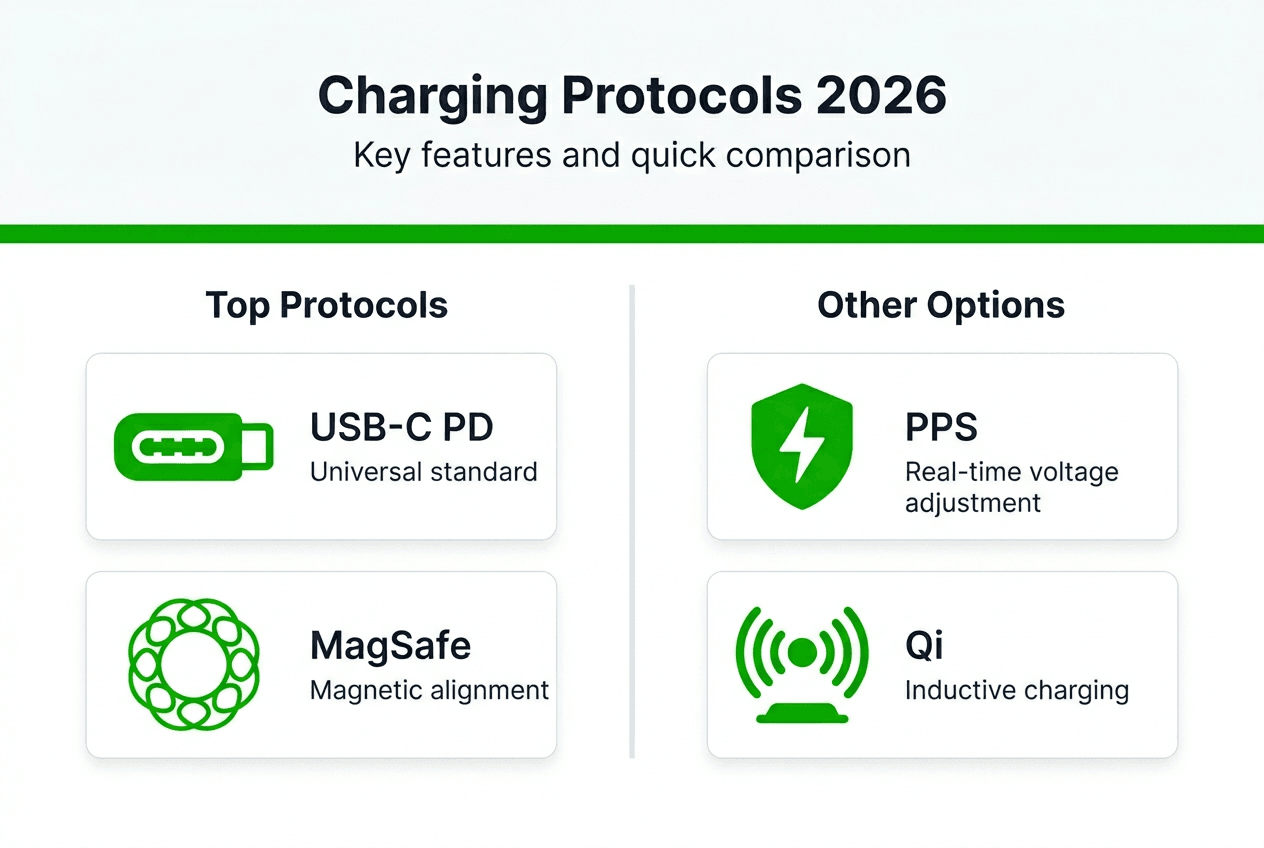
MagSafe wireless charging transformed iPhone charging by introducing magnetic alignment. MagSafe technology uses magnets for precise alignment and faster charging, delivering up to 15W wirelessly compared to standard Qi’s 7.5W for iPhones. This magnetic connection prevents misalignment that reduces charging efficiency, particularly useful overnight or during video calls when you need to grab your phone frequently.
Qi2.2 wireless charging arrived in late 2025, bringing universal 25W wireless power delivery to compatible devices. This standard bridges the gap between proprietary MagSafe and open Qi protocols, offering faster wireless charging for Android devices whilst maintaining iPhone compatibility. Multi-device chargers incorporating Qi2.2 can power an iPhone at 15W via MagSafe and a Samsung Galaxy at 25W via Qi2.2 simultaneously.
Protocol compatibility matters because your charger must speak the same language as your devices:
- USB-C PD enables rapid charging for MacBooks, iPads, and iPhones
- MagSafe ensures optimal wireless charging for iPhone 12 and newer
- Qi2.2 provides fast wireless charging for compatible Android devices
- USB-A ports maintain support for older accessories and cables
Pro Tip: Check whether your charger supports PPS (Programmable Power Supply) if you own Samsung devices, as this protocol enables their Super Fast Charging feature reaching 45W.
| Protocol | Maximum Power | Primary Use Case |
|---|---|---|
| USB-C PD 3.1 | 240W | Laptops, tablets, fast phone charging |
| MagSafe | 15W | iPhone wireless charging with alignment |
| Qi2.2 | 25W | Universal wireless charging |
| USB-A | 12W | Legacy devices, accessories |
Multiple protocols coexist within chargers because device ecosystems remain fragmented. Your multi-device charger might power a MacBook via USB-C PD, charge an iPhone wirelessly via MagSafe, and top up AirPods through a Qi pad, all simultaneously. Learn more about what MagSafe offers today and explore Qi wireless charging explained for deeper protocol understanding.
Choosing the right multi-device charger: performance and features compared
Total wattage output determines how many devices you can charge simultaneously at full speed. A 100W charger might seem powerful, but splitting that power across four devices means each port receives only 25W on average. Premium chargers implement power distribution strategies like 70W + 30W or 60W + 20W + 20W to ensure your MacBook receives sufficient power whilst simultaneously charging an iPhone and iPad.
Port configuration directly impacts daily convenience. Consider your typical device mix: two USB-C devices, one iPhone, and wireless earbuds require at least two USB-C ports and one wireless pad. Travellers benefit from compact chargers featuring three USB-C ports, whilst desktop users might prefer stations with four USB-C ports, two USB-A ports, and integrated wireless charging.
GaN (gallium nitride) technology revolutionised charger design by replacing traditional silicon components with more efficient semiconductors. GaN chargers generate less heat whilst maintaining high power output, enabling manufacturers to create pocket-sized 100W chargers that previously required bulky designs. This thermal efficiency matters because charging speed is affected by heat management, with overheating reducing charging rates and battery longevity.
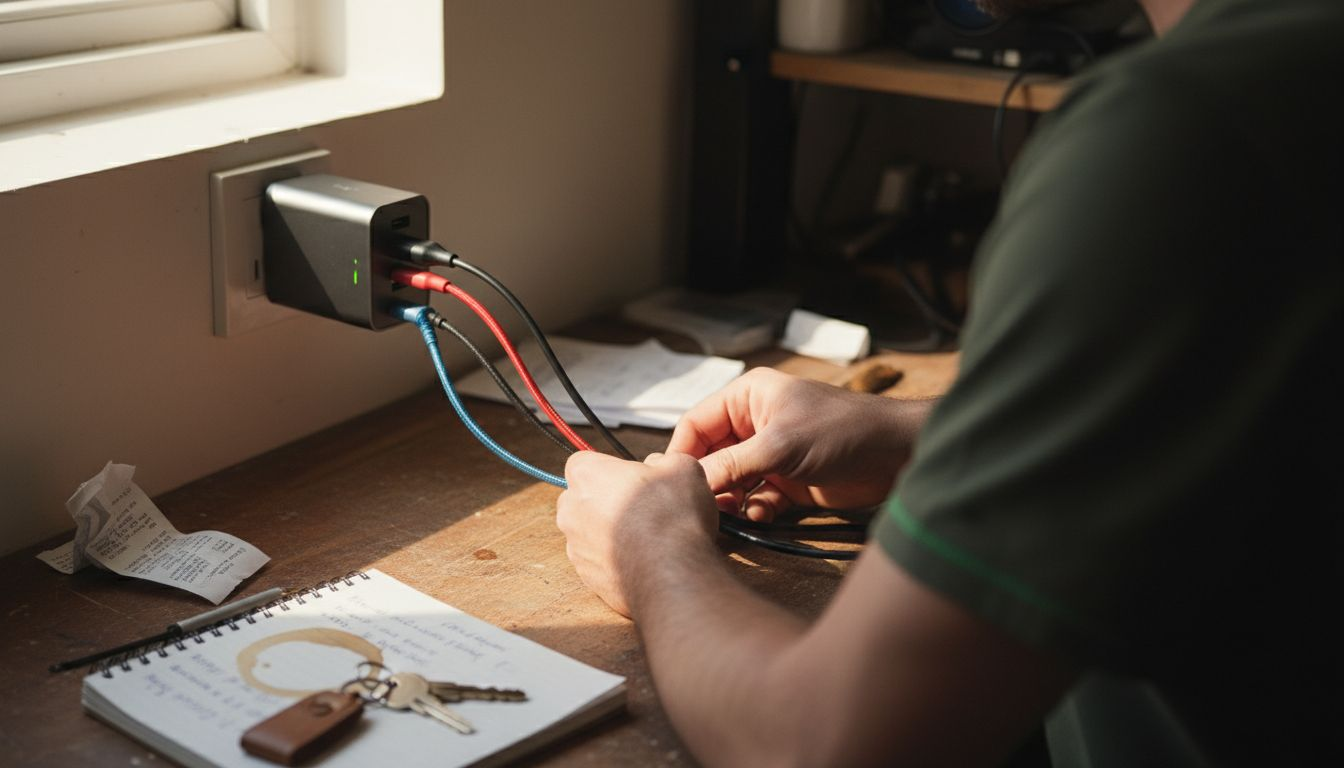
Heat affects your devices beyond immediate charging sessions. Prolonged exposure to elevated temperatures during charging degrades lithium-ion batteries faster, reducing their capacity over months. Multi-device chargers with proper thermal management use aluminium heat sinks, ventilation channels, and intelligent power throttling to keep temperatures below 45°C during operation.
Smart power allocation represents the intelligence distinguishing premium chargers from basic models. When you connect a MacBook requiring 87W and an iPhone needing 20W to a 100W charger, smart allocation prioritises the MacBook whilst ensuring the iPhone still charges at near-optimal speed. This dynamic adjustment happens automatically as you plug and unplug devices throughout the day.
| Feature | Budget Charger | Premium Charger |
|---|---|---|
| Total Output | 65W | 140W+ |
| GaN Technology | No | Yes |
| Smart Allocation | Fixed per port | Dynamic across ports |
| Wireless Charging | None | Qi2.2 or MagSafe |
| Temperature Control | Basic | Active thermal management |
| Port Count | 2-3 | 4-6 |
What to prioritise when selecting your multi-device charger:
- Match total wattage to your highest-power device plus 40W for additional gadgets
- Verify at least two USB-C ports support Power Delivery for laptops and tablets
- Choose GaN technology for cooler operation and compact size during travel
- Confirm wireless charging supports your preferred protocol (MagSafe or Qi2.2)
- Check individual port power limits, not just total output
- Consider physical size relative to your bag or desk space
Pro Tip: Calculate your total power needs by adding your MacBook’s wattage (typically 67W to 96W) plus 20W per additional device, then choose a charger rated 20% higher to account for efficiency losses.
Discover portable charging tips for busy travellers to maximise your charging setup efficiency on the go.
Optimising your charging setup for Apple devices and travel
Setting up your multi-device charger correctly ensures optimal performance and device safety. Follow these steps to maximise charging efficiency:
- Connect your MacBook or highest-power device to the port labelled with the highest wattage output, typically USB-C1.
- Use the manufacturer’s cable or USB-C cables that come with devices to ensure full Power Delivery support and safety compliance.
- Position your iPhone on the MagSafe pad with proper alignment, feeling the magnetic snap that confirms correct placement.
- Reserve lower-power USB-A ports for accessories like AirPods cases, Apple Watch chargers, or external drives.
- Monitor initial charging to verify all devices receive power, checking that fast charging indicators appear on device screens.
Cable selection matters more than many realise. Not all USB-C cables support full Power Delivery, with some limited to 60W or even 15W. Verify your cables display proper certification markings or purchase cables from reputable manufacturers that explicitly state PD support up to your charger’s maximum output.
Balancing charging speed with device health requires understanding thermal dynamics. Rapid charging generates more heat than slow charging, particularly during the first 50% of battery fill. If your iPhone feels warm whilst wireless charging and performing intensive tasks, remove the case temporarily or pause the task to reduce combined heat generation. Creative professionals managing multiple Apple devices particularly benefit from thermal awareness during editing sessions.
Travel packing strategies transform chaotic cable bags into organised charging stations:
- Wrap cables using the over-under technique to prevent tangling and extend cable life.
- Store your multi-device charger in an exterior pocket for quick airport security access.
- Pack one high-quality USB-C cable per device rather than multiple questionable spares.
- Include a small pouch for wireless charging pads if your charger lacks integrated wireless surfaces.
- Consider international plug adapters compatible with your charger’s power input specifications.
Pro Tip: Before purchasing any multi-device charger, verify both the total output wattage AND the maximum per-port output, as some chargers limit individual ports to 65W even when total capacity exceeds 100W.
Maintaining device compatibility requires periodic checks as Apple updates charging specifications. The iPhone 15 introduced USB-C, changing cable requirements but maintaining similar charging speeds. Future iPad models might support higher wattage charging, necessitating chargers with ports capable of delivering increased power. Build flexibility into your setup by choosing chargers with headroom beyond current needs.
Explore how portable charging enhances workflow and efficient mobility for professionals constantly moving between locations. Review the best wireless chargers for Apple devices in 2026 to compare standalone options with integrated multi-device solutions.
Explore powerful multi-device charging solutions
Now that you understand what makes multi-device chargers effective, finding the right solution for your Apple devices and travel needs becomes straightforward. Charg-R offers carefully selected charging products that embody the features discussed throughout this guide.
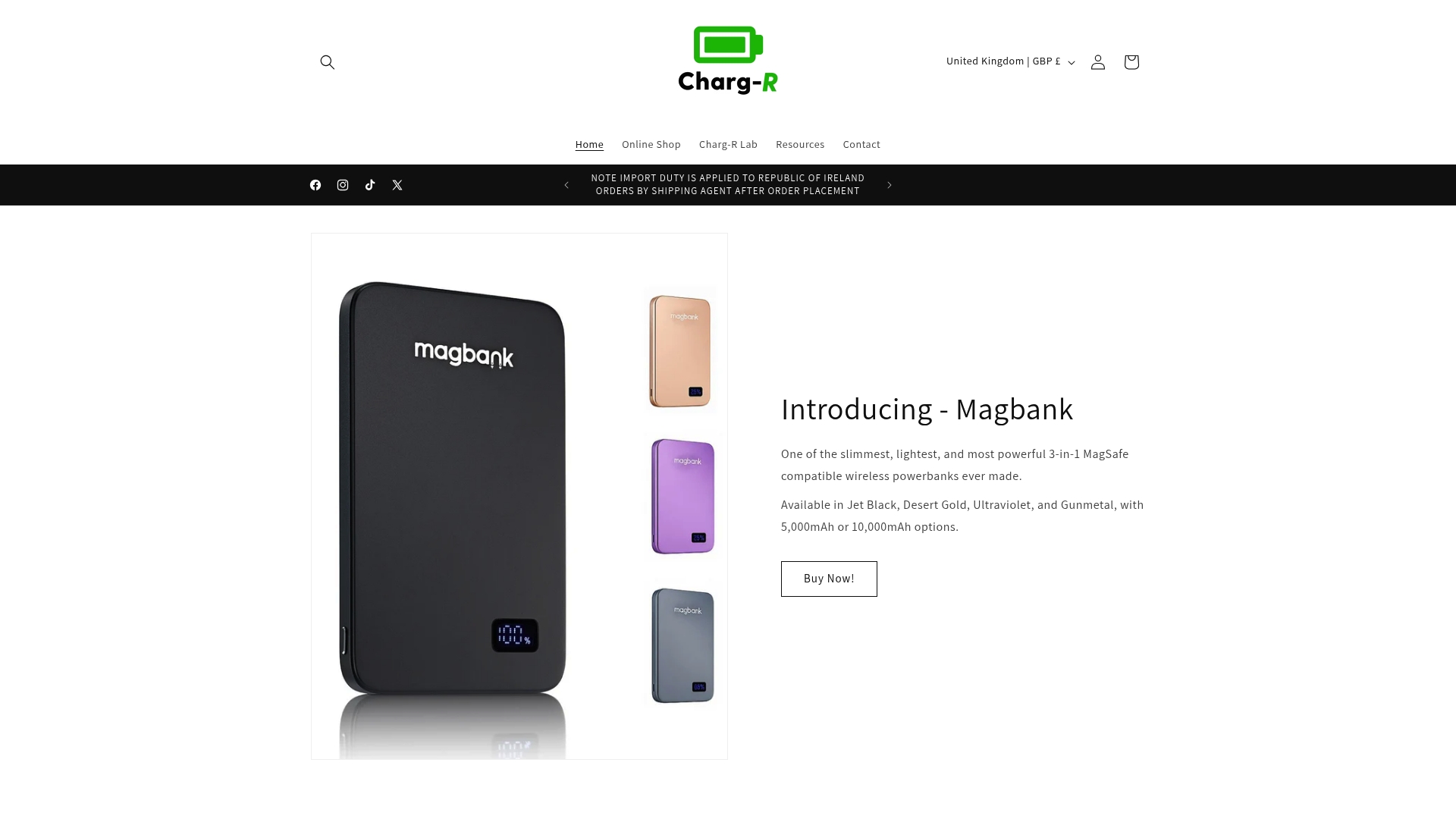
The Slatebank 100W powerbank combines portability with serious charging capacity, featuring multiple USB-C ports and wireless charging in a slim profile perfect for long flights or remote work sessions. Pair it with the GoPlug travel adapter plug to maintain charging compatibility across international electrical standards during overseas trips. For comprehensive desktop or hotel room setups, the Travelbud 4-in-1 travel docking station integrates wired and wireless charging surfaces that accommodate your entire Apple ecosystem simultaneously.
Frequently asked questions
What are the advantages of GaN chargers in multi-device setups?
GaN chargers deliver higher efficiency, smaller size, and less heat compared to traditional silicon-based chargers. This technology enables 100W power output in pocket-sized units that stay cool during operation. The reduced heat generation protects both the charger’s internal components and your connected devices’ batteries, extending overall system longevity whilst maintaining portability essential for travel.
How do MagSafe and Qi wireless charging differ on multi-device chargers?
MagSafe offers magnetic alignment and faster charging for iPhones compared to standard Qi, delivering up to 15W with precise coil positioning that prevents efficiency losses. Qi represents a universal wireless standard supported across manufacturers but typically charges slower at 7.5W for iPhones. Multi-device chargers often include both protocols, with MagSafe surfaces for iPhones and Qi pads for AirPods or Android devices, maximising compatibility across your device ecosystem.
Can multi-device chargers charge all my Apple gadgets at once?
Yes, quality multi-port chargers prioritise power distribution to devices like MacBooks and iPhones concurrently through intelligent power allocation. However, you must verify that total output capacity and individual port power limits meet your devices’ combined requirements. A charger rated at 100W can simultaneously power a MacBook at 67W, an iPhone at 20W, and AirPods at 5W, with smart allocation adjusting distribution as devices reach full charge.
Should I leave devices connected to my multi-device charger overnight?
Modern multi-device chargers include overcharge protection that stops power delivery once devices reach 100%, making overnight charging safe for battery health. However, keeping devices at 100% charge in warm environments accelerates long-term battery degradation. Consider charging devices to 80% for daily use and reserving full charges for days requiring extended battery life. Many chargers reduce power delivery automatically once devices complete charging, minimising heat generation during extended connection periods.