

How to Use Wireless Charging: Fast, Safe Apple Power on the Go
Charging your iPhone or Apple Watch wirelessly whilst travelling should be simple, yet many users struggle with slow speeds, alignment issues, and compatibility confusion. Whether you’re commuting daily or exploring internationally, mastering wireless charging ensures your Apple devices stay powered reliably without fumbling with cables. This guide walks you through device compatibility, charger selection, setup optimisation, and safety practices so you can charge confidently anywhere.
Table of Contents
- Prerequisites And Device Compatibility
- Choosing The Right Portable Wireless Charger
- Setting Up And Optimising Wireless Charging
- Safety Considerations And Battery Health
- Travel Tips For Wireless Charging
- Common Mistakes And Troubleshooting
- Expected Results And Charging Timelines
- Enhancing Your Wireless Charging Experience
- Explore Charg-R’s Portable Wireless Charging Solutions
Key takeaways
| Point | Details |
|---|---|
| Compatibility matters | iPhones from iPhone 8 onward support Qi wireless charging; Apple Watch Series 3 and newer need proprietary magnetic chargers. |
| Choose 10W+ chargers | Select portable chargers delivering at least 10W output with multi-device support and travel-friendly features for efficient charging. |
| Proper placement essential | Centre devices on charging pads and remove thick cases to avoid efficiency drops of up to 30%. |
| Prioritise safety | Use certified chargers with temperature control to prevent battery degradation and protect device lifespan. |
| Travel-ready setup | Pack multi-voltage adapters (100-240V) and compact docks to maintain charging capability worldwide. |
Prerequisites and device compatibility
Before investing in wireless charging gear, confirm your Apple devices support the technology. iPhones from iPhone 8 onward support Qi wireless charging with up to 7.5W power delivery for faster charging speeds. This includes iPhone 8, 8 Plus, X, XS, XR, 11, 12, 13, 14, 15, and newer models.
Apple Watch compatibility differs slightly. Apple Watch Series 3 and later use proprietary magnetic wireless charging, requiring chargers specifically designed for the watch’s unique system. Standard Qi chargers won’t work for Apple Watch, so you’ll need dedicated or multi-device chargers that accommodate both iPhone and watch.
Power output matters significantly. For optimal iPhone charging, your wireless charger should deliver at least 7.5W. Lower wattage chargers work but charge considerably slower, often taking four hours or more for a full charge. Many modern wireless chargers for Apple devices now offer 10W or 15W output for even faster speeds.
Before purchasing any charger, verify it explicitly states compatibility with your specific Apple device models. Check manufacturer specifications and look for certifications like Qi certification or MFi (Made for iPhone) approval. These ensure safe, efficient charging without risking damage to your expensive devices. Investing a few minutes in compatibility research now prevents frustration and wasted money later.
Choosing the right portable wireless charger
Selecting the ideal portable wireless charger for your Apple devices requires balancing power output, portability, and multi-device capabilities. Start by targeting chargers with at least 10W output. This ensures your iPhone charges efficiently without unnecessarily long wait times. Higher wattage options (15W) deliver even faster speeds when compatible with your device.
For travellers juggling multiple Apple devices, multi-device wireless chargers prove invaluable. These chargers accommodate iPhone, Apple Watch, and AirPods simultaneously, eliminating cable clutter in hotel rooms or airport lounges. Look for compact designs that fold or collapse for easy packing.
Travel-friendly features separate excellent chargers from mediocre ones:
- Multi-voltage input (100-240V) for worldwide compatibility
- Lightweight construction under 200 grams
- Foldable or flat profiles fitting easily in carry-on bags
- Built-in cable management to avoid tangles
- LED indicators showing charging status at a glance
Here’s how common portable wireless charger types compare:
| Charger Type | Power Output | Devices Supported | Best For | Weight |
|---|---|---|---|---|
| Basic Qi pad | 5-7.5W | iPhone only | Budget-conscious users | 80-120g |
| Fast Qi pad | 10-15W | iPhone only | Quick single-device charging | 100-150g |
| Apple Watch charger | 5W | Apple Watch only | Watch-only charging | 40-60g |
| Multi-device dock | 10-15W total | iPhone + Watch + AirPods | Comprehensive travel solution | 180-250g |
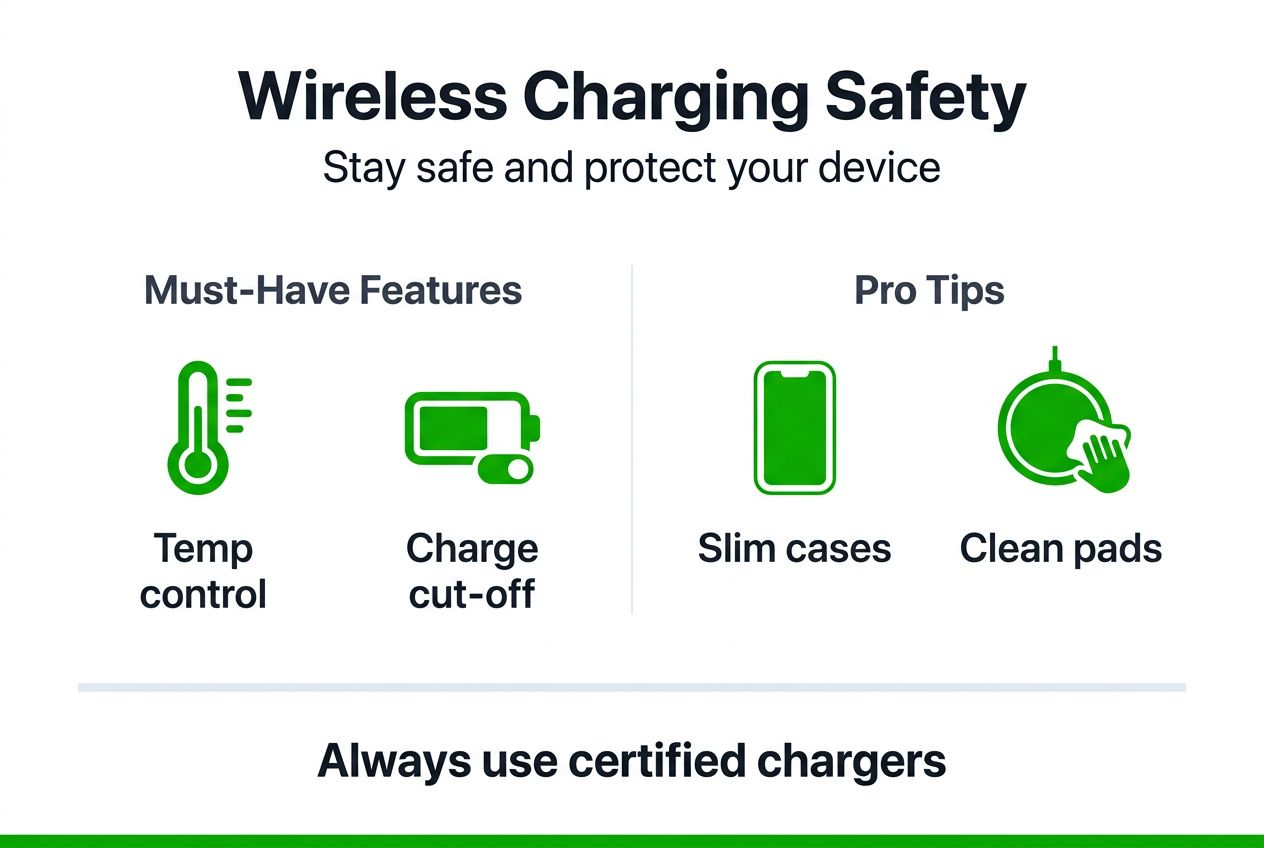
Pro tip: Prioritise chargers with certified safety features including overcharge protection, temperature control, and foreign object detection. These safeguards protect your devices from damage and extend battery lifespan significantly. Wireless charging offers convenience benefits that outweigh the slightly higher upfront cost when you choose quality products.
Setting up and optimising wireless charging
Proper setup dramatically impacts your wireless charging efficiency and speed. Follow these steps to maximise performance every time you charge.
First, place your charging pad on a flat, stable surface away from direct sunlight or heat sources. Position your iPhone carefully:
- Locate the centre of the charging pad, typically marked by a logo or indicator light.
- Place your iPhone’s back centre (where the Apple logo sits) directly over this spot.
- Listen or watch for the charging confirmation tone or screen notification.
- Adjust position slightly if charging doesn’t begin within two seconds.
Misalignment represents the most common wireless charging problem. Even a few millimetres off-centre can reduce charging efficiency by up to 30%, transforming a two-hour charge into nearly three hours. Take an extra moment to centre your device properly.
Phone cases significantly affect wireless charging performance. Thick cases (over 3mm) or those containing metal plates, magnets, or credit cards block the electromagnetic field necessary for charging. You’ll need to remove these cases before each charging session.
Pro tip: Invest in wireless-charging-compatible slim cases designed specifically for your iPhone model. These cases remain thin enough (typically under 2mm) to allow charging without removal, saving you the hassle of constantly taking your case on and off throughout the day.
Monitor device temperature during charging, especially in warm environments. Your iPhone may feel warm to the touch, which is normal. However, if it becomes uncomfortably hot, remove it from the charger immediately and allow it to cool. Excessive heat damages battery health over time and may indicate a problem with your charger.
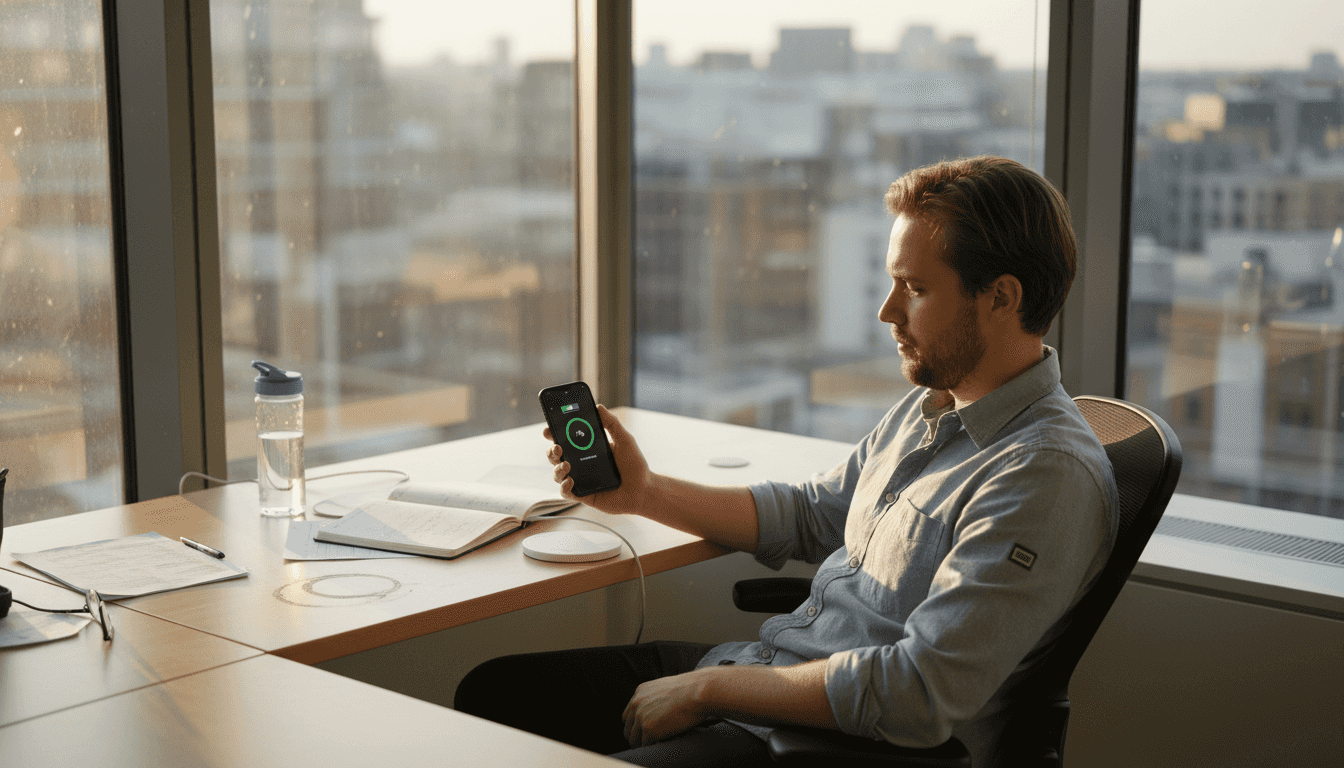
For Apple Watch, align the charging puck’s magnetic surface with the watch back. You’ll feel a satisfying magnetic snap when positioned correctly. The watch should sit flat against the charger, not tilted or hanging off the edge.
Maintaining clean charging surfaces improves connection quality. Wipe both your device back and the charging pad weekly with a soft, slightly damp cloth to remove dust, oils, and debris that interfere with charging efficiency. This simple portable charging setup practice ensures consistent performance.
Safety considerations and battery health
Safety should never be an afterthought when wireless charging your valuable Apple devices. Using certified chargers with built-in protection features prevents damage and preserves battery lifespan.
Always choose chargers with these essential safety features:
- Temperature control that automatically reduces power if overheating occurs
- Overcharge protection preventing battery damage once fully charged
- Foreign object detection stopping charging if metal objects are detected
- Short-circuit protection safeguarding against electrical faults
- Qi certification or MFi approval confirming independent safety testing
Interestingly, wireless charging can actually extend your device’s battery lifespan compared to aggressive wired fast charging. Wireless charging typically delivers power more gradually and gently, reducing battery stress over thousands of charge cycles. This translates to better long-term battery health.
Avoid cheap, uncertified chargers regardless of attractive pricing. Using chargers without proper temperature and overcharge protection increases battery degradation risk up to 50%. These unsafe products also pose fire hazards and may permanently damage your iPhone’s charging circuitry. The money saved buying a £10 charger instead of a £25 certified one vanishes quickly when you need a £600 device replacement.
“Quality wireless chargers with proper safety certifications protect your investment whilst delivering reliable, efficient charging performance day after day. Don’t compromise on safety for minor cost savings.”
Charge your devices in well-ventilated areas, never under pillows, blankets, or in enclosed spaces where heat cannot dissipate. Remove any metal objects, credit cards, or magnetic items from between your device and charger before charging begins.
Pay attention to your iPhone’s battery health metrics in Settings > Battery > Battery Health. If maximum capacity drops rapidly or you notice unexpected shutdowns, your charger may be the culprit. Switch to a certified alternative and monitor whether battery health stabilises. Wireless charging safety essentials protect both your devices and personal safety throughout years of daily use.
Travel tips for wireless charging
Maintaining reliable wireless charging whilst travelling internationally requires preparation and smart accessory choices. Different countries use varying electrical standards, making compatible charging gear essential.
Invest in multi-voltage travel adapters supporting 100-240V input. These adapters work safely in virtually every country without damaging your wireless charger or devices. Standard single-voltage adapters risk frying your electronics when plugged into incompatible power systems.
Pack these wireless charging essentials for trips:
- Compact multi-device wireless dock charging iPhone, Apple Watch, and AirPods simultaneously
- Retractable USB-C or Lightning cables as backup charging options
- Universal travel adapter with built-in USB ports
- Portable power bank with wireless charging capability for locations without outlets
- Cable organisers keeping charging accessories tangle-free in luggage
Before plugging in your charger abroad, verify the local power specifications match your adapter’s capabilities. Most modern wireless chargers handle international voltage ranges automatically, but double-checking prevents costly mistakes. Hotel staff can confirm local electrical standards if you’re uncertain.
Keep your charging setup compact to maximise limited luggage space. Foldable wireless charging pads take up minimal room compared to bulky multi-port wall chargers with numerous cables. This efficiency matters especially on budget airline flights with strict carry-on restrictions.
When charging in airports, coffee shops, or other public spaces, never leave devices unattended on wireless charging pads. The slow, cable-free nature of wireless charging can make you forget your device is there. Set phone alarms reminding you to collect your fully charged device before departing.
Consider time zone changes when planning overnight charging. Your iPhone may reach full charge hours before you wake if you’re jet-lagged, potentially sitting on the charger unnecessarily. Modern certified chargers prevent overcharging damage, but limiting time on the charger when possible optimises battery longevity.
For extended international travel, research your destination’s electrical outlet types beforehand. Some regions use unique socket configurations requiring specific adapter prongs. Portable charging tips for travellers help ensure you arrive prepared with appropriate adapters and charging solutions.
Common mistakes and troubleshooting
Even experienced Apple users make wireless charging errors that reduce efficiency or prevent charging entirely. Recognising and fixing these issues keeps your devices powered reliably.
Thick or metal phone cases represent the most frequent wireless charging obstacle. If your iPhone won’t charge wirelessly, remove the case completely and try again. Cases over 3mm thick, those with metal plates for magnetic car mounts, or wallet cases with credit cards block the electromagnetic charging field. Switch to wireless-charging-compatible slim cases designed for your specific iPhone model.
Improper device placement causes frustrating intermittent charging. Your iPhone must sit centred on the charging pad’s sweet spot. If charging starts then stops repeatedly, adjust your phone’s position slightly. Look for the charging indicator light on your pad turning solid rather than blinking, confirming proper alignment.
Using uncertified or incompatible chargers leads to various problems:
- Extremely slow charging speeds (six hours or more for full charge)
- Excessive device heating indicating unsafe power delivery
- Charging stopping unexpectedly mid-cycle
- Battery health degrading faster than normal
- Complete failure to recognise or charge devices
If your wireless charging suddenly stops working after functioning previously, try these troubleshooting steps:
- Restart your iPhone by powering it off completely then back on
- Clean both the device back and charging pad surface with a soft cloth
- Check for iOS updates that may fix charging bugs
- Test with a different certified wireless charger to isolate the problem
- Verify your charger’s power adapter delivers adequate wattage
Some certified wireless chargers for Apple devices include diagnostic features indicating specific problems through LED colour codes. Consult your charger’s manual to interpret these signals and identify issues quickly.
For Apple Watch charging problems, ensure the magnetic charger sits completely flat against the watch back without gaps. Sport bands and some third-party straps may interfere with proper contact. Adjust the band position or temporarily remove it during charging.
If troubleshooting fails to resolve persistent charging issues, contact the charger manufacturer’s support team or visit an Apple Store. Your iPhone’s charging coil may require professional diagnosis if multiple certified chargers fail to work properly.
Expected results and charging timelines
Understanding realistic wireless charging speeds helps set appropriate expectations and plan your charging routine effectively.
Typical iPhone wireless charging delivers approximately 50% charge in 45 minutes when using a 7.5W charger. A complete charge from empty to 100% usually takes 2 to 3 hours depending on your iPhone model and battery capacity. Newer iPhones with larger batteries naturally require longer charging times.
Wireless charging speeds vary by several factors:
- Charger wattage (5W, 7.5W, 10W, or 15W output)
- iPhone model and battery size
- Case thickness interfering with power transfer
- Ambient temperature affecting charging efficiency
- Background app activity draining power during charging
Here’s what you can expect with common charger and device combinations:
| Charger Power | Device | 0-50% Charge Time | Full Charge Time | Notes |
|---|---|---|---|---|
| 5W | iPhone 12/13/14 | 70-80 min | 3.5-4 hours | Slow but adequate overnight |
| 7.5W | iPhone 12/13/14 | 45-50 min | 2.5-3 hours | Standard wireless speed |
| 10W | iPhone 13/14/15 | 35-40 min | 2-2.5 hours | Faster wireless option |
| 15W | iPhone 14/15 | 30-35 min | 1.5-2 hours | Fastest wireless charging |
Wireless charging trades raw speed for convenience and battery health benefits. Whilst wired fast charging reaches 50% in 30 minutes, the gentler wireless charging process reduces long-term battery wear. Over two to three years of daily use, wirelessly charged iPhones often retain 5% to 10% more battery capacity than those exclusively fast-charged via cable.
Plan your charging around these timeframes. Place your iPhone on a wireless charger during your morning routine, work meetings, or whilst watching television to maintain healthy battery levels throughout the day. Wireless charging speed benefits compound when you charge opportunistically rather than waiting for critical low battery warnings.
For Apple Watch, expect roughly 90 minutes for a complete charge from empty using standard magnetic chargers. Fast-charging Apple Watch models (Series 7 and newer) can reach 80% in approximately 45 minutes with compatible fast chargers.
Enhancing your wireless charging experience
Beyond basic wireless charging functionality, strategic accessories and setup improvements elevate convenience and efficiency, especially for multi-device users and frequent travellers.
Retractable cables and compact travel docks eliminate the tangled cable mess plaguing traditional charging setups. These accessories pack flat in luggage and set up instantly in hotel rooms, providing organised charging stations for all your Apple devices simultaneously. Look for docks with dedicated spots for iPhone, Apple Watch, and AirPods, keeping everything charged and ready in one location.
Multi-device wireless chargers supporting simultaneous charging save time and outlet space. Rather than juggling three separate chargers and cables, place all devices on one dock before bed. You’ll wake to fully charged gear without occupying multiple power sockets or creating cable clutter.
MagSafe-compatible accessories for iPhone 12 and newer models significantly improve wireless charging convenience. MagSafe’s magnetic alignment ensures perfect positioning every time, eliminating the placement guesswork standard Qi charging requires. MagSafe chargers also enable charging whilst using your phone, something difficult with traditional wireless pads.
Organise your charging setup for streamlined daily use and travel packing:
- Designate a specific pocket in your laptop bag for charging accessories
- Use small pouches or cable organisers grouping related items together
- Label chargers for different devices if you carry multiple types
- Create a charging station at home with all devices charging in one spot
For maximum travel efficiency, Apple charging accessories that combine multiple functions reduce what you need to pack. Multi-device docks serving as phone stands during video calls eliminate separate accessories. Wireless chargers with built-in power banks provide charging capability anywhere without seeking outlets.
Upgrade your car with wireless charging mounts integrating navigation and charging simultaneously. These mounts keep your iPhone visible for GPS directions whilst maintaining battery charge during road trips, eliminating the awkward choice between navigation and battery conservation.
Explore Charg-R’s portable wireless charging solutions
Now that you understand how to optimise wireless charging for your Apple devices, equipping yourself with reliable, travel-ready charging gear makes all the difference. Charg-R specialises in portable power solutions designed specifically for tech-savvy travellers and Apple users prioritising convenience and safety.
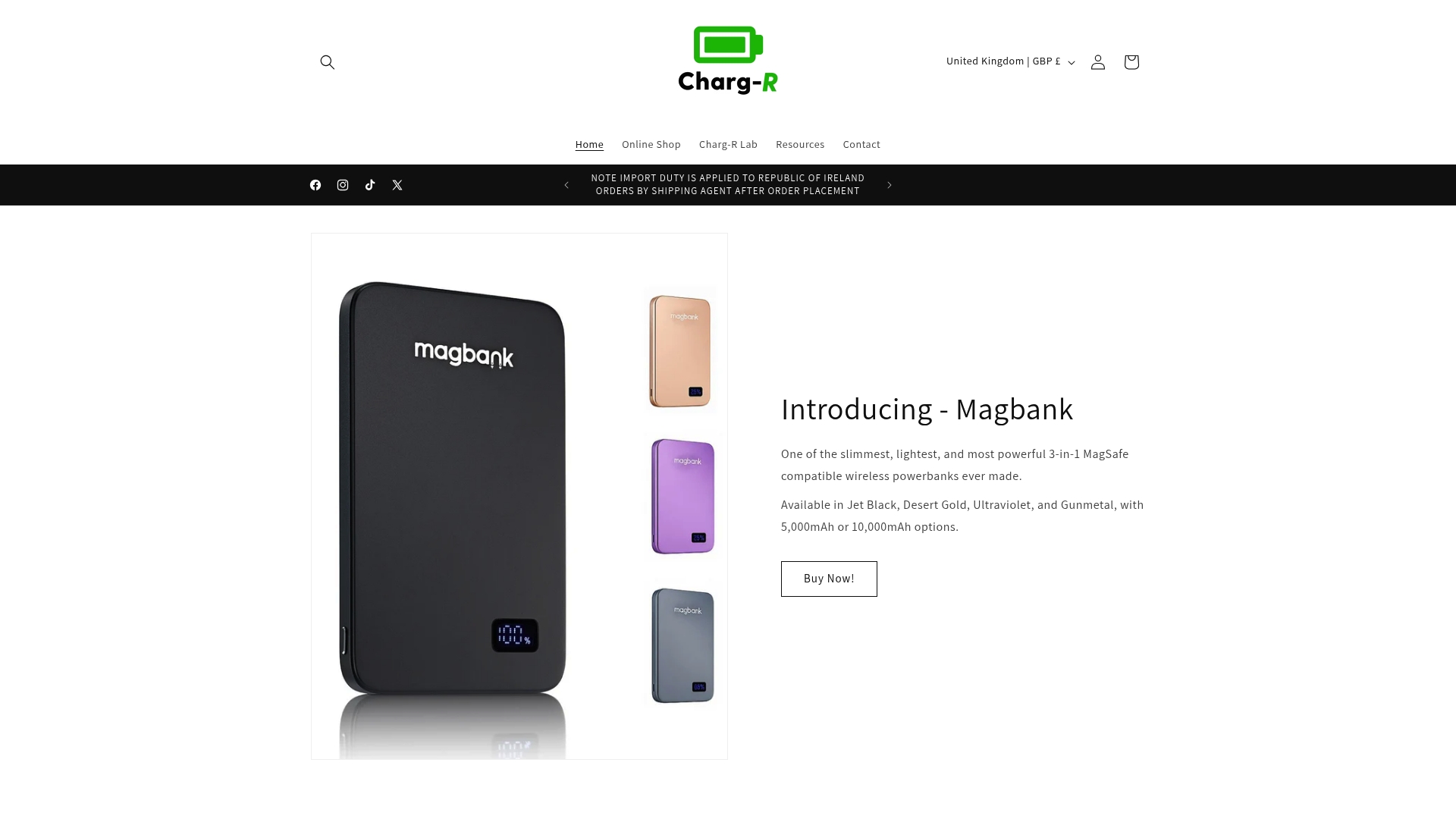
The Slatebank powerbank delivers 100W PD output with substantial capacity, wirelessly charging your iPhone whilst simultaneously powering laptops and tablets through USB-C ports. Its slim profile slips easily into carry-on bags, providing reliable power throughout long flights and busy travel days.
For comprehensive travel charging, the Travelbud docking station combines wireless charging pads for iPhone and Apple Watch with integrated cable management and a compact folding design. This all-in-one solution replaces multiple chargers and cables, dramatically simplifying your packing routine whilst ensuring every device charges efficiently overnight.
The GoPlug travel adapter provides worldwide electrical compatibility with multi-voltage support (100-240V), USB-C ports, and built-in safety features. Whether you’re in Tokyo, London, or New York, GoPlug ensures your wireless chargers operate safely and efficiently regardless of local power standards.
FAQ
Which Apple devices support wireless charging?
iPhones from iPhone 8 onward support Qi wireless charging, including all iPhone X, 11, 12, 13, 14, and 15 models. Apple Watch Series 3 and newer require proprietary magnetic wireless chargers specifically designed for the watch. AirPods Pro and AirPods with wireless charging cases also support Qi charging pads.
How fast can I wirelessly charge my iPhone?
iPhones reach approximately 50% charge within 45 minutes using a 7.5W wireless charger. Complete charging from empty to 100% typically takes 2 to 3 hours depending on your model. Higher-wattage chargers (10W or 15W) deliver faster speeds when compatible with your specific iPhone.
Can I travel internationally with wireless chargers?
Yes, using multi-voltage travel adapters supporting 100-240V input ensures safe worldwide compatibility. Always verify your wireless charger’s voltage requirements match local power specifications before plugging in. Most modern wireless chargers handle international voltage ranges automatically when paired with proper adapters.
What are common wireless charging issues and fixes?
Misalignment and thick cases blocking the charging field cause most problems. Centre your device properly on the pad and remove cases over 3mm thick. Use only certified chargers with safety features to prevent overheating and charging failures. If charging stops unexpectedly, clean both surfaces, restart your device, and verify charger compatibility with your iPhone model.